
How do I skip or delay my next delivery?Updated a month ago
You can skip, pause or reschedule your next Auto Delivery at any time from your account. Your changes take effect immediately and will apply to your upcoming delivery.
To change your next delivery:
- Log in to your account at vetslovepets.com.au/account and open Auto Delivery.
.png)
- Scroll down and find Auto Delivery Details.
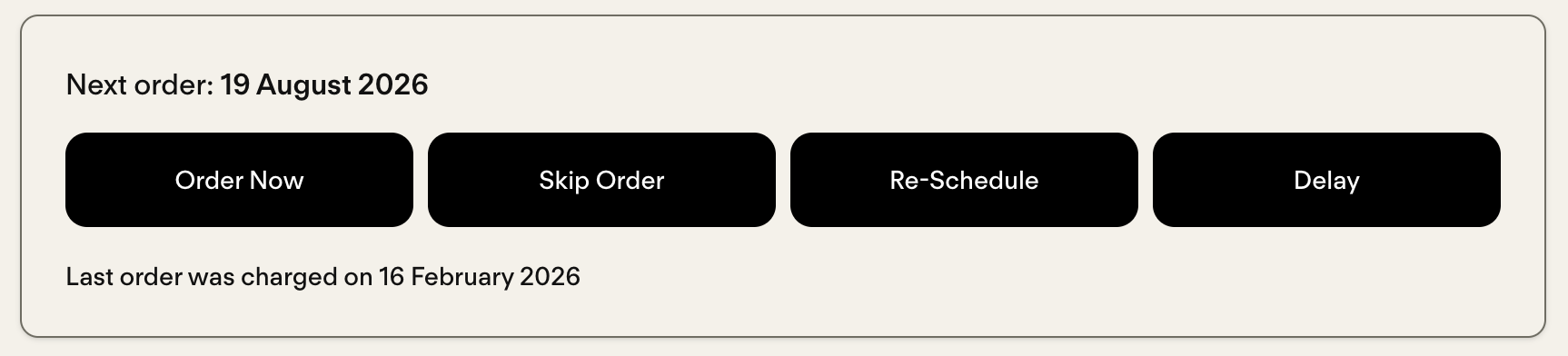
- Choose one of the following:
- Skip to miss your next delivery only.
- Reschedule to choose a new processing date for your next order.
- Delay to set your processing date to the next 7, 15 or 30 days.
- To pause your delivery, scroll to the bottom.
.png)
The date you choose is the day your order is processed and charged. Your order is then dispatched within 3 business days. If you need your products by a specific date, we recommend selecting a processing date around one week before you want them to arrive.
You can also update your delivery frequency (for example, from every 4 weeks to every 8 weeks) in the Auto Delivery section of your account.